Animify
When you upload a photo to an AI anime generator and receive a stunning anime transformation 10 seconds later, it feels like magic. A real photograph of you — your face, your expression, your surroundings — has been completely reimagined in the visual language of anime. The colors are different. The textures are different. The entire aesthetic register has shifted. And yet, it is still recognizably you. It still captures something essential about the original image. How does that happen?
Behind that 10-second transformation is a sophisticated pipeline of artificial intelligence technologies that have been decades in the making. This guide explains how AI anime generators actually work — not with dense technical jargon, but with clear, accessible explanations of each component in the pipeline. By the end, you will understand not just that the technology works, but why it works, how it produces such convincing results, and what distinguishes a good AI anime generator from a mediocre one.
The Foundation: What Is Generative AI?
To understand AI anime generators, you first need to understand the broader category of technology they belong to: generative AI. Generative AI refers to artificial intelligence systems that can create new content — images, text, music, video — rather than simply analyze or classify existing content.
Traditional AI (the kind that has existed for decades) is discriminative: it learns to tell things apart. A discriminative image model might learn to answer "is this a photo of a cat or a dog?" Generative AI is different: it learns to produce new things. A generative image model learns to answer "given what I know about how images work, what would a picture of a cat look like?"
This distinction — from discrimination to generation — is the conceptual leap that made AI anime art possible. Instead of teaching an AI to recognize anime art, researchers taught AI to create anime art by learning the underlying patterns and conventions that define the visual style.
Diffusion Models: How AI Creates Images From Nothing
The specific type of generative AI that powers modern AI anime generators is called a diffusion model. The name comes from the physical process of diffusion — the way particles spread out over time — and the clever insight at the heart of the technique is a reversal of that process.
Training: Learning by Destroying
During training, a diffusion model is shown millions of images. For each image, the model is taught to add noise (random static) in gradually increasing amounts until the original image is completely destroyed — a field of pure random pixels. The model is then trained to reverse this process: to start from pure noise and gradually remove it, step by step, until it reconstructs the original image. By repeating this process across millions of images, the model learns the deep statistical patterns of how images are structured — what makes a face look like a face, what makes a sky look like a sky, what makes an anime character look like an anime character.
Generation: Creating by Denoising
When you use an AI anime generator, the model starts from pure random noise and the style prompt — your text instruction. It then applies its learned denoising process, but crucially, the prompt guides the process. The model does not just denoise aimlessly; it denoises toward the specific visual target described by the prompt. "Studio Ghibli anime style, soft watercolor textures, warm gentle palette" causes the denoising process to converge toward an image that statistically matches the Ghibli aesthetic.
This is why prompts matter so much. The model can denoise toward anything it learned during training. A vague prompt like "anime style" gives the model little specific guidance, so the output is generic. A carefully crafted prompt like the one above gives the model precise instructions about color palette, texture quality, and artistic reference points, producing output that is stylistically coherent and authentic-looking.
Image-to-Image Generation: Why Your Photo Matters
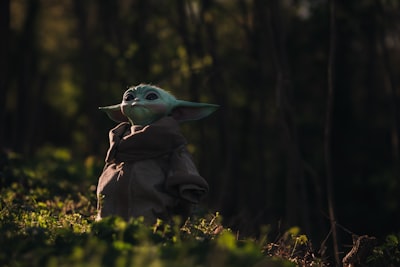 Image-to-image generation preserves your photo's structure while reimagining its style
The diffusion model described above is a text-to-image system — it generates images from text prompts alone. But photo-to-anime converters use a more advanced technique called image-to-image generation (img2img). Here is how it works differently:
In a text-to-image workflow, the model starts from pure random noise. In an img2img workflow, the model starts from your photo — but with a twist. Instead of starting from random noise, the model takes your photo and adds a controlled amount of noise to it (not enough to destroy it, but enough to make it malleable). Then the denoising process begins, guided by the style prompt. Because the starting point is your actual photo rather than random noise, the output preserves the structural elements of your original image — the composition, the pose, the spatial relationships between objects, the facial geometry — while the style prompt steers the visual treatment toward the target anime aesthetic.
This is the technical explanation for an experience every user of AI anime generators has noticed: the same style prompt applied to two different photos produces two different results, each preserving the identity and composition of the source image while applying the same stylistic treatment. The img2img process is what makes the output uniquely yours rather than a generic anime image that happens to be vaguely similar to your photo.
The Denoising Strength Balance
A critical parameter in img2img generation is denoising strength — essentially, how much of the original image to preserve versus how much to let the AI creatively reinterpret. Too little denoising, and the output looks like your photo with a weak filter applied. Too much denoising, and the output loses connection to your original image entirely. The best AI anime generators find the optimal balance — enough creative reinterpretation to fully commit to the anime aesthetic, but enough structural preservation to maintain recognizability. This balance is different for each style and is refined through extensive testing.
Style Prompt Engineering: The Secret Sauce
If the diffusion model is the engine, the style prompt is the steering wheel. Prompt engineering is the art and science of crafting text instructions that guide the AI toward specific visual outcomes, and it is one of the most important factors distinguishing good AI anime generators from mediocre ones.
Consider the difference between these two prompts, both attempting to produce Studio Ghibli-style output:
Generic prompt: "Anime style, colorful, nice"
Engineered prompt: "Studio Ghibli anime style, soft watercolor textures, warm gentle color palette, hand-painted aesthetic, dreamy atmospheric lighting, detailed natural background, Miyazaki-inspired""
The generic prompt gives the model almost no useful guidance. "Anime style" is broad. "Colorful" could mean anything. "Nice" is subjective. The engineered prompt tells the model exactly what to emphasize: specific texture quality (soft watercolor), specific color approach (warm gentle palette), specific artistic reference (Miyazaki-inspired), and specific lighting treatment (dreamy atmospheric).
At AnimifyAI, each of our six anime styles uses a carefully engineered prompt refined through hundreds of iterations. We test each prompt against diverse photo types — portraits, landscapes, pets, group photos, different lighting conditions — and adjust until the output is consistently high-quality across the full range of inputs users actually upload. This is a labor-intensive process that general-purpose AI tools, which offer a single generic "anime" option, cannot match.
Flux and Beyond: The Model Landscape
The AI model landscape has evolved rapidly. Early anime generators were built on Stable Diffusion 1.5 and SDXL. Newer models like Flux.1 (released 2024) represent significant advances in photorealism and prompt adherence, though anime-specific optimization often benefits from models fine-tuned on anime datasets.
What matters for users is not which specific model a tool uses, but the quality and consistency of output. A well-prompted SDXL-based system with anime-specific fine-tuning can outperform a poorly-prompted Flux-based system. AnimifyAI's dual-engine architecture runs both a primary engine and a backup engine, providing redundancy — if the primary engine is overloaded, the backup ensures generation continues without interruption. This architectural reliability is as important as the underlying model quality for a tool people depend on for time-sensitive creative work.
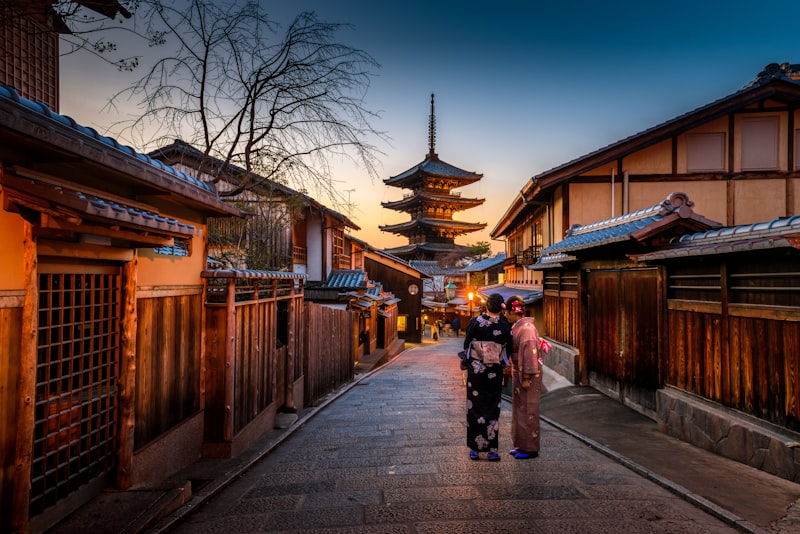 Multiple layers of technology — from diffusion models to prompt engineering — work together in every transformation
What Makes a Good AI Anime Generator: The Complete Stack
A great AI anime generator is not just a model with a prompt attached. It is a complete technical stack where every component matters:
- Model quality and tuning: The base model's capability, plus anime-specific fine-tuning that teaches it anime visual conventions
- Style prompt engineering: Carefully crafted, extensively tested prompts for each style, refined for consistency across diverse photo types
- Denoising strength calibration: Per-style optimization of the balance between photo preservation and creative reinterpretation
- Resolution and upscaling: Native output resolution plus any upscaling pipeline that increases resolution without introducing artifacts
- Infrastructure reliability: Redundant engines, load balancing, and queue management so users get results when they expect them
- Privacy architecture: Ephemeral processing — photos are used for generation and immediately discarded, never stored or used for training
- User experience: Fast generation speed, before/after comparison tools, straightforward interface
A tool that excels at some of these but fails at others will produce an inconsistent user experience — stunning output sometimes, but frustrating failures, slow generation, or privacy concerns at other times. The best tools optimize the entire stack.
From Upload to Download: The Complete Journey of Your Photo
When you click "Generate" on AnimifyAI, here is the complete technical journey your photo takes:
- Upload: Your photo is converted to base64 encoding and transmitted securely to our server infrastructure
- Preprocessing: The image is validated (format, size, content) and normalized to the resolution expected by the AI engine
- Engine routing: The request is routed to the primary AI engine; if that engine is at capacity, the backup engine handles the request
- img2img generation: The engine processes your photo through the diffusion model with the selected style prompt, using calibrated denoising strength
- Postprocessing: The generated image is extracted from the model response, validated for quality, and prepared for delivery
- Delivery: The anime transformation is returned to your browser and displayed with the before/after comparison slider
- Cleanup: Your original photo is immediately and permanently discarded — it was never stored and was used only for the moment of generation
Total elapsed time: typically 5-15 seconds. The photo you uploaded no longer exists anywhere on our systems. This privacy-by-design architecture is fundamental to responsible AI tool operation.
Understanding the Technology, Appreciating the Results
Knowing how AI anime generators work does not diminish the magic of seeing your own photo transformed. If anything, understanding the sophistication of the technology — the diffusion models, the prompt engineering, the careful balance of preservation and reinterpretation — deepens the appreciation. What feels like magic is actually an extraordinary convergence of computer science, artistic knowledge, and engineering precision.
Experience the technology in action with free trial on AnimifyAI. Upload a photo, choose from six carefully engineered anime styles, and see your result in seconds. Your photo is never stored, and all paid plans include full commercial rights. For more on the creative and cultural dimensions of this technology, read our overview of the rise of AI anime art and its impact on creative expression.
The best way to appreciate the engineering behind AI anime generation is to see its output firsthand. Grab a photo and test it across all 6 styles — watching the same image transform through Ghibli warmth, Shinkai drama, and cyberpunk neon makes the technology feel less like computer science and more like pure creative alchemy.